Industrial LED Display

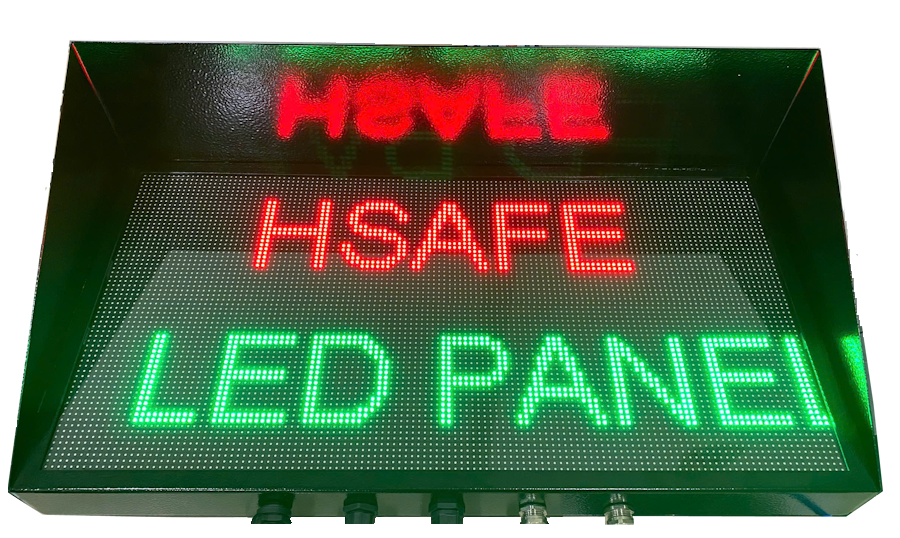
HSafe LED is a device designed for construction sites and factories to display essential information in real time.

  • No flicker when viewed through cameras
  • Supports WiFi or Ethernet connection
  • Has API for remote control
  • IP67 waterproof rating
HSafe LED Display

Product Appearance

The HSafe LED features a robust design optimized for harsh industrial and construction environments. It offers high customization for displayed content and is built with a durable metal casing.

  • Sturdy and durable, suitable for industrial environments
  • Supports RJ45 Ethernet and WiFi connectivity
  • 24V DC power supply (customizable)
  • High interference resistance
  • High refresh rate, camera-friendly
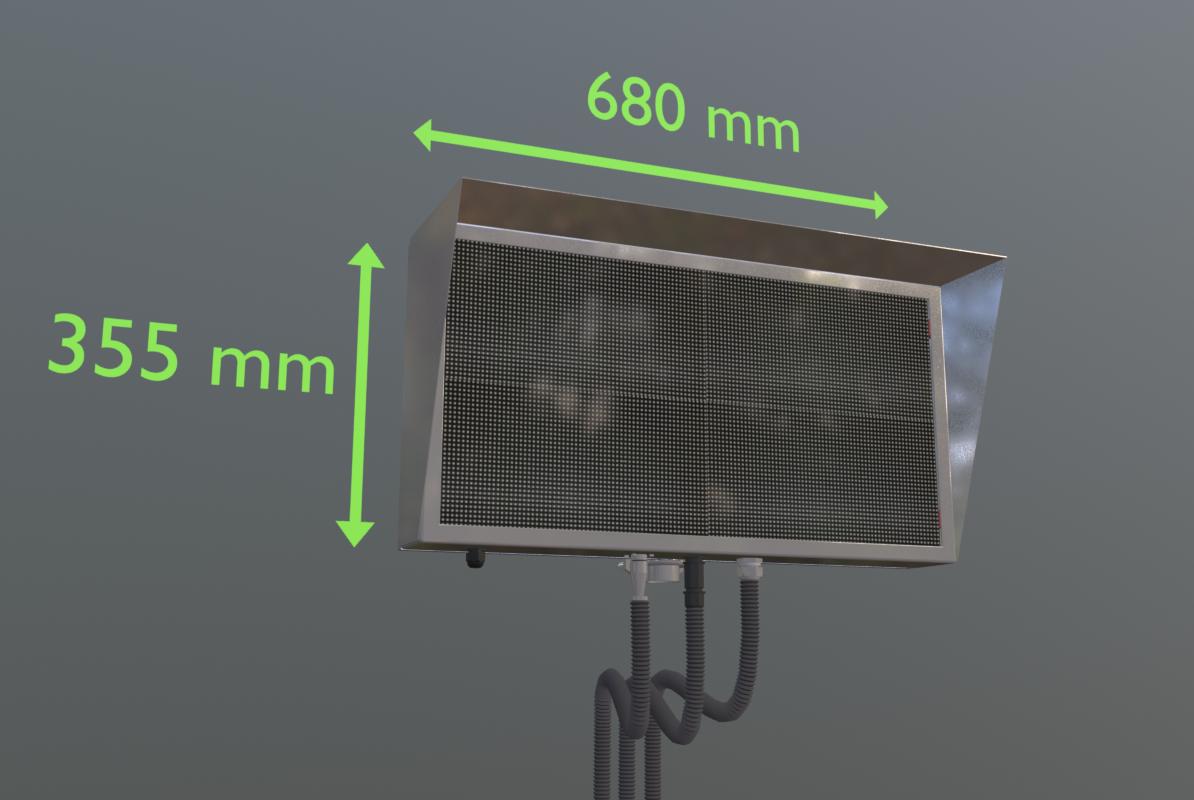
HSafe LED Dimensions

Technical Specifications

Parameter Value / Description
Dimensions 680 x 355 x 105 mm
Positioning Accuracy ±10 ~ 30 cm (depending on environment and layout)
Power Supply 24V 10A
Operating Temperature -20°C ~ +60°C (Industrial version: -40°C ~ +70°C)
Protection Rating IP65 (dustproof, water jet resistant)
Housing Material Powder-coated steel or stainless steel
Weight ≈ 10 kg

* Specifications may vary by version. Please contact us for the latest datasheet.

Packaging & Accessories

  • 1 × HSafe LED Display
  • 1 × Mounting bracket set (optional)
  • 1 × 24V 10A Power Adapter (optional)
  • 1 × Quick Installation & Configuration Guide

Package Dimensions:

≈ 72 × 38 × 14 cm (LED panel only)
≈ 74 × 40 × 16 cm (full package)

Package Weight:

≈ 11 - 13 kg

Installation Guide

1. Installation Location
  • Install in a highly visible location
  • Height of at least 1.7 meters
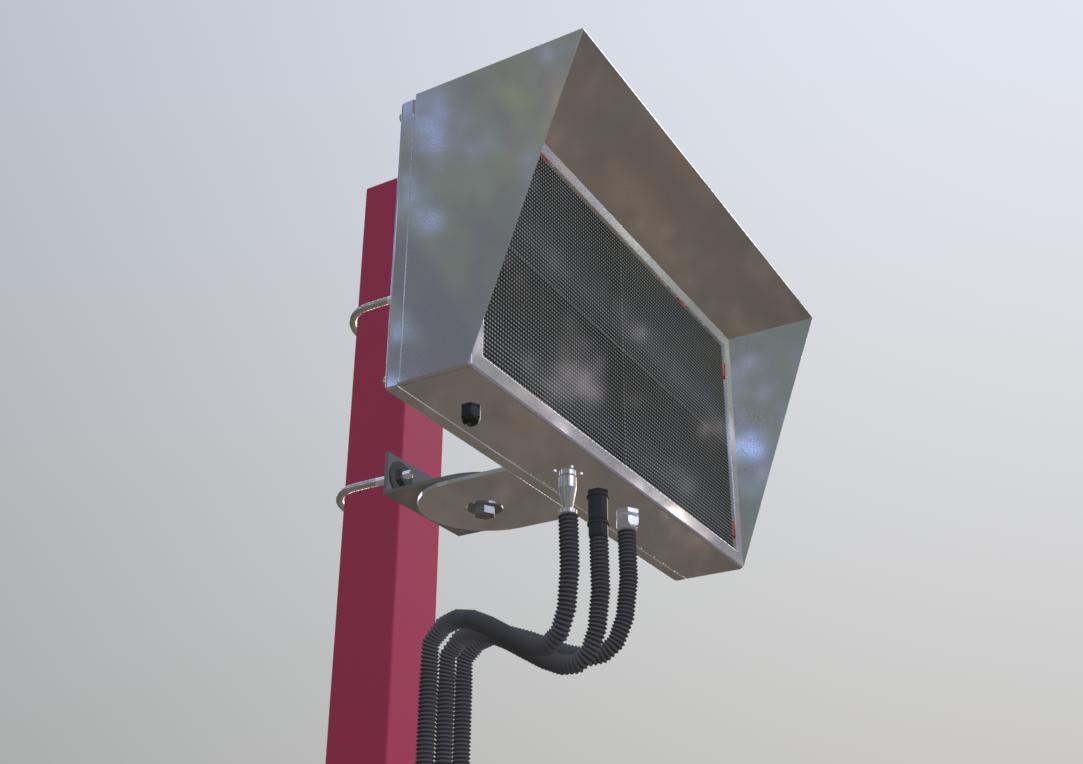
  • Use appropriate mounting brackets
  • Install all accessories properly
  • Connect power supply last
2. Important Notes
  1. Use accessories with correct specifications
  2. Ensure all connectors are securely fastened for waterproofing
  3. If using custom power supply, measure voltage before connecting
  4. Do not drill or screw directly into the housing as it may compromise waterproofing
HSafe LED Installation

Configuration Guide

The LED display should light up.

If connected successfully, the LED display will show its IP address.

---------

---------

If you have any questions, please contact us for support.

Contact for Consultation